 MaalFlow by Signature Silicon
Every piece has a label.
Every piece is counted.
MaalFlow is stock control for shops. Print a QR label for each piece, scan it when it comes in and when it goes out, and the computer keeps the count.
Free download · 64-bit Windows 10 and 11 · about 35 MB
- Works without the internet
- Your data stays on your computer
- English, हिंदी and मराठी
- 1QR label for every piece
- 3languages on every screen
- 10ready-made reports
- 0internet needed once it is activated
Print. Scan in. Scan out.
Three things to do, and the same three every day. Nobody types a stock number, so nobody types a wrong one.
-
Print a label
Choose a product and how many pieces. Each piece gets a QR label of its own.
-
Scan it in
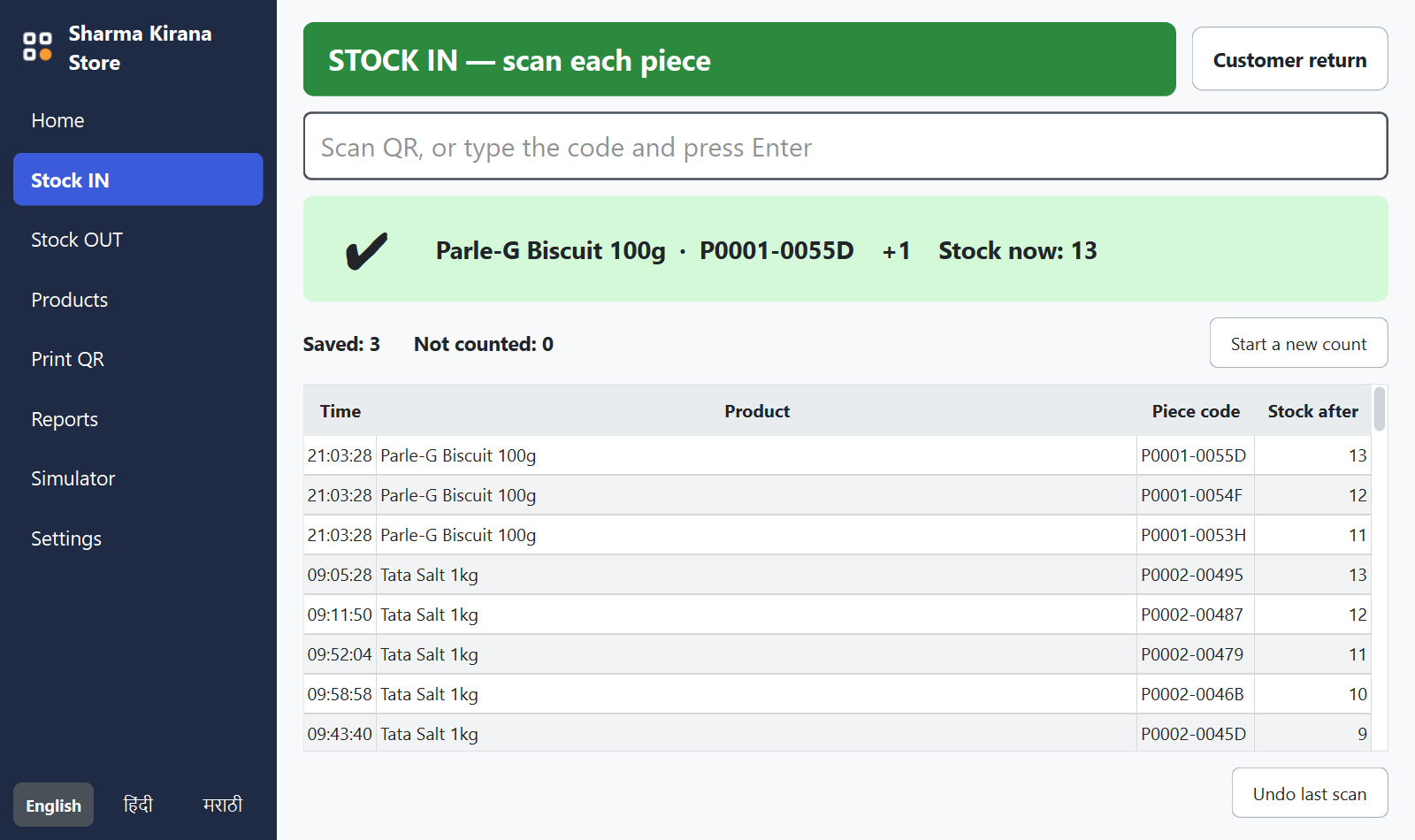
Scan each piece as it goes on the shelf. A green screen and a rising tone mean it is counted.
-
Scan it out
Scan it again at the counter. Stock goes down by exactly that piece.
Scan, and it is counted
The screen answers every scan at once, in colour and in sound, so staff never have to read small print in a busy shop.
- A piece cannot be counted in twice, sold twice, or sold before it came in.
- A wrong scan turns the screen red and says why.
- A customer brings a piece back: one button, one scan.
A label for every piece, in a click
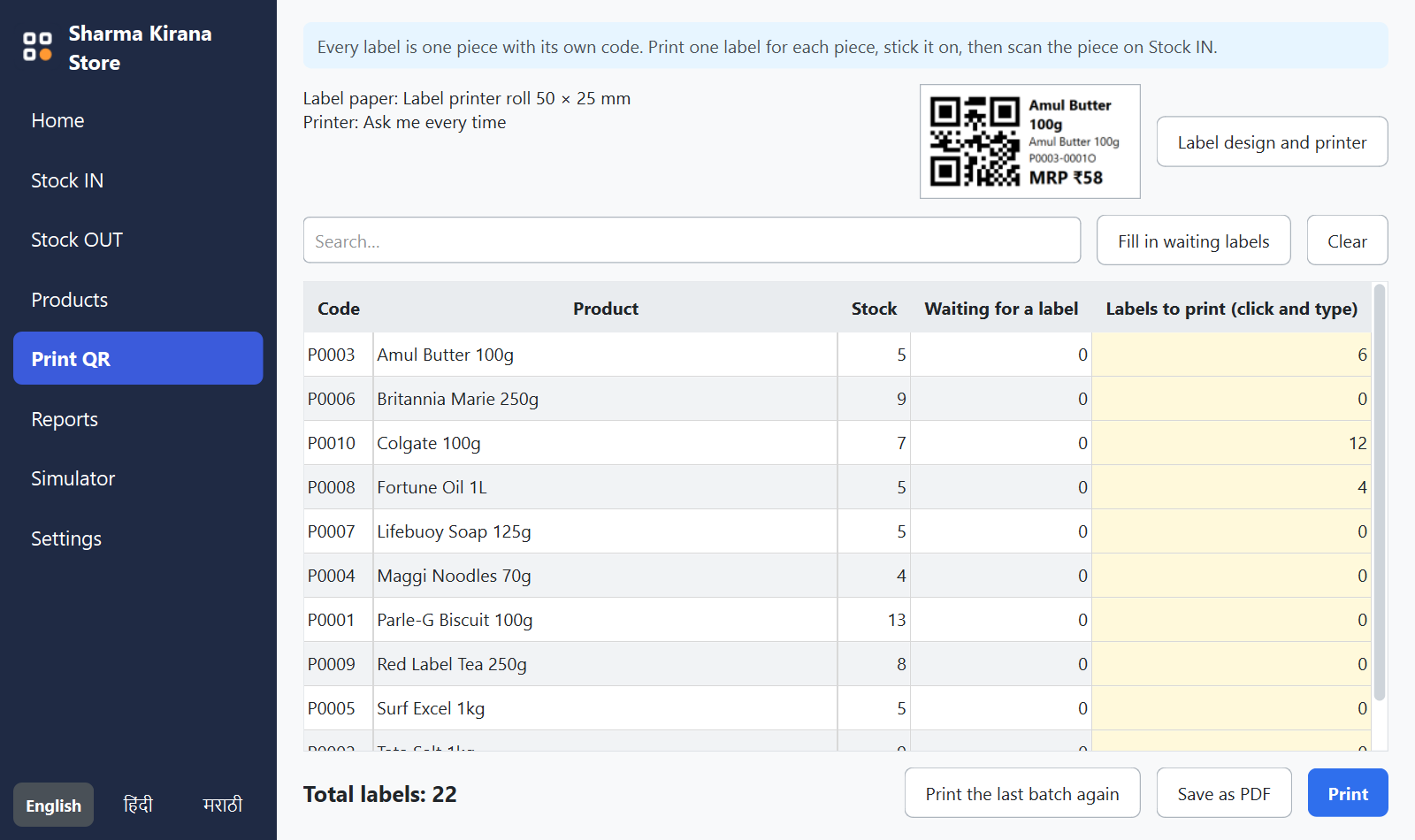
Type how many labels each product needs and press Print. The label shows the name, the price and a code that belongs to that piece alone.
- Label printer rolls, or A4 sticker sheets on an office printer.
- Choose what is printed: shop name, description, MRP, date.
- Add all your products at once from an Excel sheet.
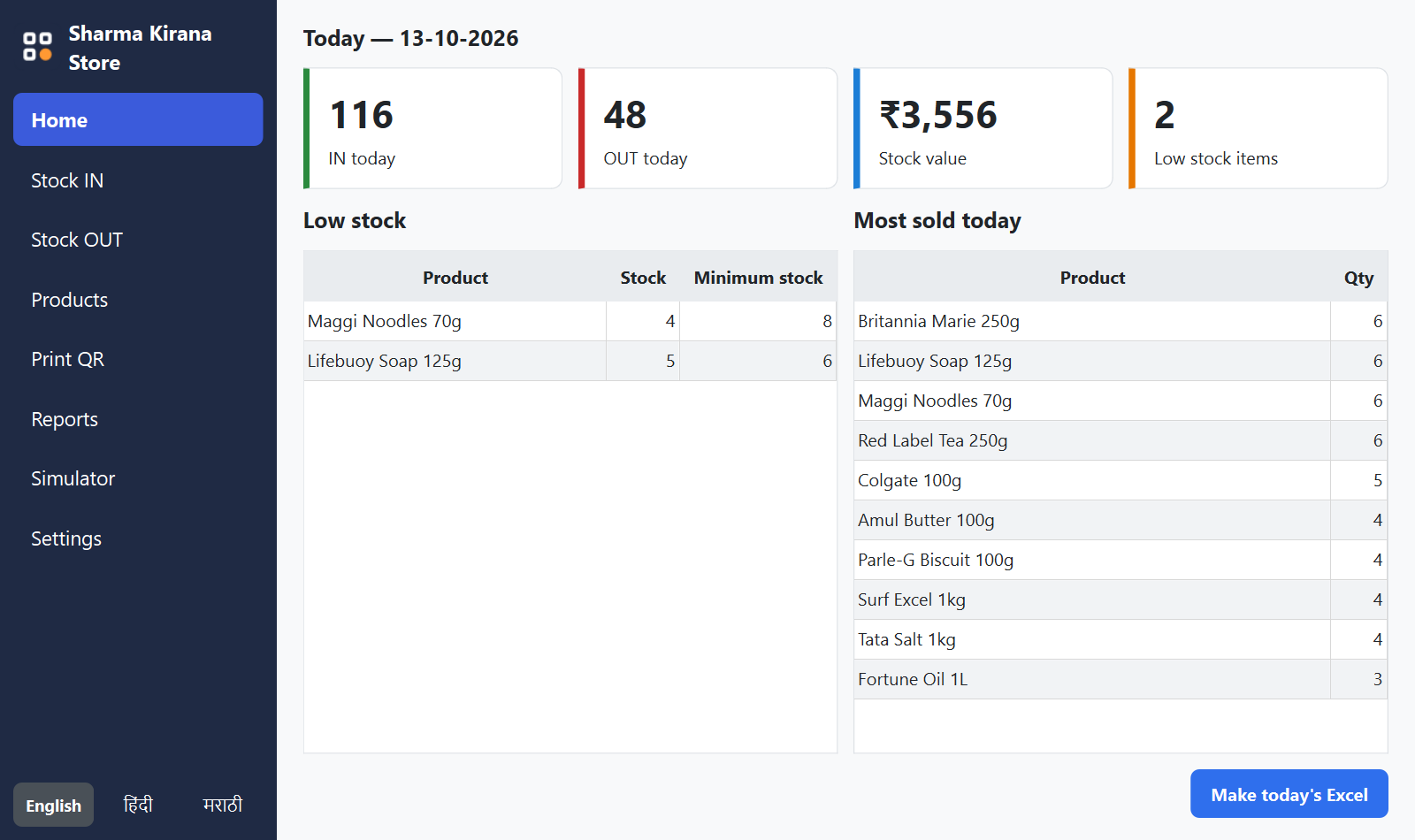
Open the shop knowing where you stand
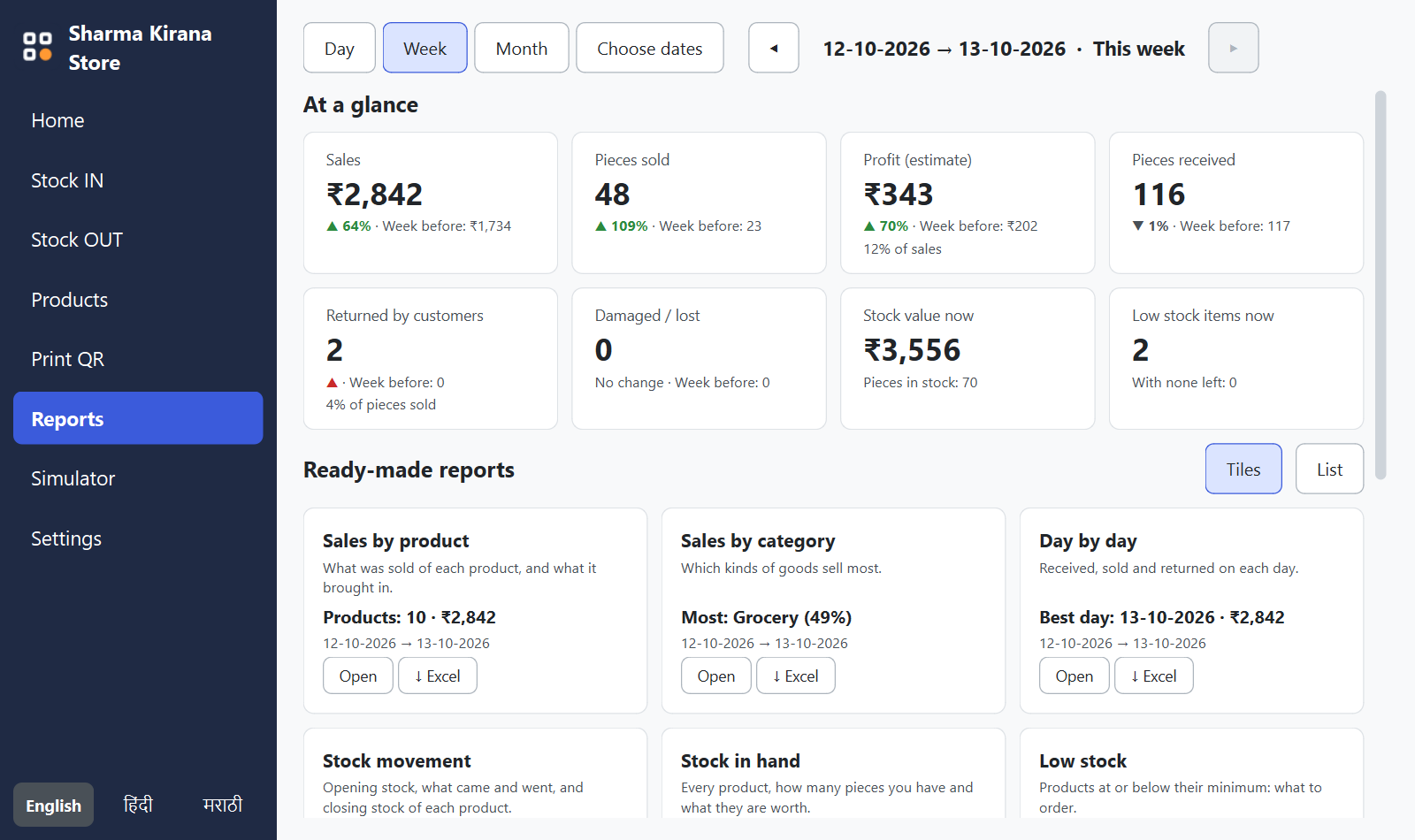
The first screen shows what came in and went out today, what your stock is worth, and what is running low.
- Low stock is listed before the shelf is empty.
- Sales, profit and returns for a day, a week or a month.
- Every report downloads as an Excel file.
What else it takes care of
Works without the internet
The internet is needed once, to activate. After that everything runs on your own computer.
Three languages
Every screen is in English, हिंदी and मराठी. Staff change the language with one click.
The owner stays in charge
Prices, deleting products and undoing scans can be kept for the owner, behind the computer's own PIN or fingerprint.
Excel in, Excel out
Bring your product list in from Excel, and take any report out to Excel with real numbers you can add up.
Backed up every day
A backup is made by itself every day, and one more button copies everything to a pen drive.
Old prices are remembered
Change an MRP tomorrow and yesterday's reports still show what each piece was really sold for.
Three things on the counter
A Windows computer
64-bit Windows 10 or 11, with 4 GB of memory and two free USB ports.
A 2D scanner
Any scanner that reads QR codes. It needs no software: it types the code like a keyboard.
A label printer
A thermal label printer with sticker rolls, for example 50 × 25 mm. A4 sticker sheets also work.
Start in three steps
The download is free. The app opens with a licence key, which you get from us.
- Download and installOpen the file and press Install. No administrator password is needed.
- Activate onceWith the internet on, type your licence key. From then on the app works without it.
- Print labels and scanAdd your products, print a label for each piece, and start scanning.
Write to harshwardhan.vairagade@signaturesilicon.com, or use the contact form, for a key, a demonstration, or help choosing a scanner and printer.
Before you download
Is the download free?
Yes. Anyone can download and install it. The app opens once a licence key has been entered; write to harshwardhan.vairagade@signaturesilicon.com for one.
Does it need the internet?
Once, to check your licence key. A phone hotspot is enough. After that the app works without the internet.
Windows says "Windows protected your PC". What do I do?
Windows shows this for software it has not seen on many computers yet. Click More info, then Run anyway.
Where is my stock data kept?
On your own computer, in your Documents folder. A backup is made every day. Nothing about your stock is sent to us or to anyone else.
Which scanner and label printer does it work with?
Any 2D scanner that types like a keyboard, and any printer that Windows can print to. It is set up for the TVS BS-i201S WL scanner and the TVS LP 46 Dlite label printer.
Can my staff change prices or delete products?
Only if you let them. You choose what is kept for the owner, and the app then asks for the computer's own PIN, fingerprint or password before it goes on.